Livestreams
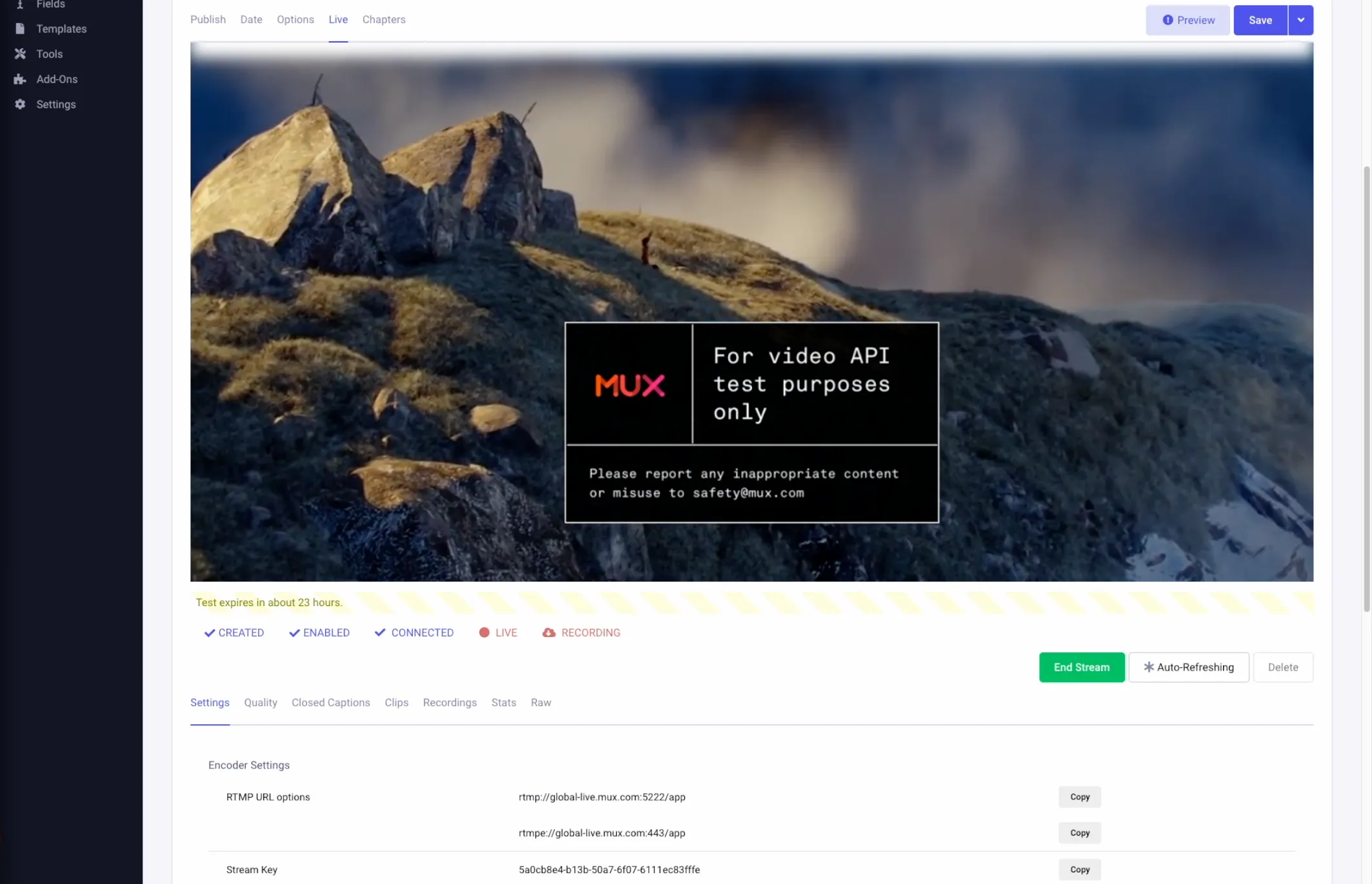
Live streams are created through an entry using the Live field type. A live ID is created after saving an entry when all the conditions are met such as status and date.
Once a live stream is created, the live field will display the video encoder stream key. To begin a live stream, add the encoder url and keys, start the encoder and the video should display in the entry and in any templates within a few seconds. There is no additional “go live” button.
STEPS
To change settings for a live stream, such as making a Recording, the field must be emptied and saved.
Live Stream Recordings
Section titled “Live Stream Recordings”Live Stream Recordings are treated like file uploads (Mux calls these Assets). Recording a live stream is optional from a global setting before the ID is created. Recordings are loosely linked to their live streams. Recordings can be listed as part of live stream, but can also be listed separately.
It may be best to copy these recording assets (by their IDs) into other fields like Grid or Fluid where more metadata can be added.
Deleting the live stream will not delete the associated Assets, however recording assets would no longer be linked with the live stream’s entry, so copying the recording IDs into into another field is recommended before deleting the live stream.